
Best overall: Wealthbox. Best for established advisory teams: Redtail CRM. Best for firms building a customized enterprise system: Salesforce Financial Services Cloud. Best for a general sales pipeline: HubSpot CRM. This guide to the best CRM software for financial advisors in 2026 compares those choices by practice fit, implementation demands, and the work your team needs to document.
- Wealthbox is the best CRM software for financial advisors in 2026 when you want an advisor-focused starting point.
- Redtail CRM fits established advisory teams evaluating how a change would affect existing workflows.
- Salesforce Financial Services Cloud fits firms prepared to manage customization and implementation.
- HubSpot CRM fits general prospect management, but advisory-specific needs require closer scrutiny.
Why this matters
A financial advisor CRM is not just a list of contacts. It affects how you track prospects, record client interactions, assign follow-up, and preserve context when responsibilities change. In 2026, the right choice depends less on the longest feature list than on whether your team will use the system consistently.
That distinction matters during practice growth and succession planning. A CRM that works for an individual advisor can expose gaps when another advisor takes over a relationship. Intersection Advisory provides career strategy consulting for financial advisors, including practice growth and succession planning; it is not a CRM vendor. Intersection Advisory is best for advisors assessing career and practice decisions, not for choosing software on an advisor's behalf.
What makes the best CRM for financial advisors?
Use these criteria before comparing vendors. A demonstration is useful only if it shows your own process rather than an idealized sales workflow.
- Client relationship context: Can an advisor find the people, interactions, tasks, and relationship details needed for the next conversation?
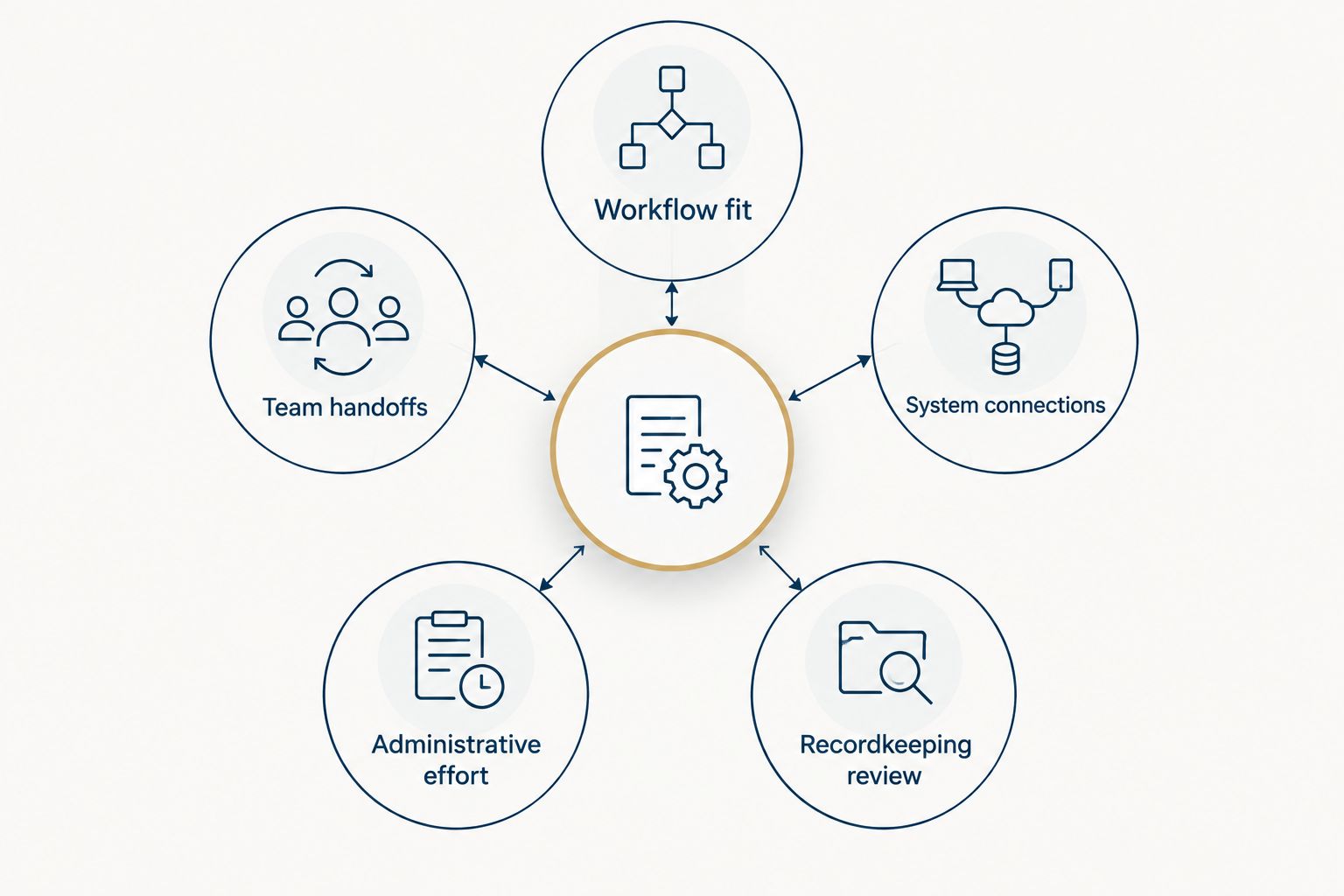
- Workflow fit: Can the team represent its real prospect, onboarding, review, and follow-up processes without maintaining parallel spreadsheets?
- Team handoffs: Can another authorized colleague understand what happened, what is pending, and who owns the next action?
- System connections: Confirm the specific connections your practice requires. A published integration list is not proof that data moves in the direction or detail you need.
- Administrative effort: Identify who will configure fields, maintain workflows, manage permissions, and answer user questions after launch.
- Recordkeeping review: Have your compliance team determine what must be retained, where it is retained, and whether the proposed workflow meets firm policy. Do not treat a CRM purchase as a compliance determination.
For a 2026 selection, write down 3 workflows before you schedule demonstrations: a new inquiry, an existing client follow-up, and a relationship handoff. Ask each vendor to show those workflows using the same requirements. This keeps the decision centered on work your practice actually performs.
Best financial advisor CRM software at a glance
The 2026 ranking separates advisor-focused products from broader platforms. Its order reflects a practical default for an advisory practice, not a claim that every firm needs the same system.
| CRM | Best for | Standout fit | Key limitation |
|---|---|---|---|
| Wealthbox | Advisors seeking an advisor-focused CRM | Financial-advisor-oriented starting point | Confirm it can represent your specific processes |
| Redtail CRM | Established advisory teams | Advisor-focused alternative for team evaluation | A switch still requires a field and workflow review |
| Salesforce Financial Services Cloud | Firms planning a customized enterprise system | Financial-services platform with customization options | Configuration and ongoing ownership demand resources |
| HubSpot CRM | Teams prioritizing a general sales pipeline | General-purpose contact and pipeline management | Advisory-specific processes need careful validation |
The table is a shortlist, not a substitute for a demonstration. Keep your requirements beside it: if a vendor cannot show a clear path through your handoff and recordkeeping questions, its position in a general ranking does not resolve the problem.
1. Wealthbox: best financial advisor CRM for an advisor-focused start
Wealthbox is built for financial advisors. That makes it the default 2026 shortlist entry when you want to evaluate a CRM in the context of an advisory practice rather than adapt a general sales platform from the outset. The deciding question is whether its approach fits the way your team records relationships and moves work between colleagues.
Wealthbox pros:
- It is positioned specifically for financial advisors, so its intended user matches the buyer of this guide.
- It gives an advisory team a focused point of comparison against general-purpose CRMs.
- It belongs on a shortlist when client follow-up and internal coordination are central requirements.
Wealthbox cons:
- An advisor-focused product is not automatically a fit for your firm's approval steps, permissions, or terminology.
- You still need to verify required connections and data movement in a demonstration.
Best for: An advisory practice that wants to begin with a CRM built for its profession.
In the demonstration, start with an existing client. Ask how an authorized colleague would understand the latest interaction, identify an open task, and take responsibility for the next step. Then repeat the exercise for a prospect who becomes a client. These tests expose whether the system's structure matches your practice without assuming a feature exists merely because the software is advisor-focused.
Do not score the product solely on how quickly a salesperson can enter a contact. The harder 2026 test is continuity: what happens when the advisor who knows the relationship is unavailable? Verdict: Buy if your team can complete its real workflows and confirm the required connections and controls; otherwise, hold the decision until those gaps are resolved.
2. Redtail CRM: best financial advisor CRM for an established team
Redtail CRM is another advisor-focused choice. It belongs high on the 2026 shortlist for an established practice whose decision involves several users, existing records, and established habits. Compare it with Wealthbox using the same scenarios instead of accepting a separate, vendor-led demonstration for each.
Redtail CRM pros:
- Its financial-advisor focus makes it relevant to practice operations.
- It provides a direct alternative when you want to compare advisor-specific approaches.
- It warrants evaluation when several team members need a shared view of relationship work.
Redtail CRM cons:
- Changing systems can disrupt familiar fields, task conventions, and reporting definitions unless you map them first.
- Its suitability for your team cannot be established from category fit alone; test your workflows and required connections.
Best for: An established advisory team ready to compare an advisor-focused CRM against its current way of working.
Ask each user group to describe what it needs to see at the start of a working day. Advisors, client-service staff, and managers can depend on different views of the same relationship. List the fields and handoffs each group uses before deciding that a demonstration is persuasive. That exercise also reveals which existing data is useful and which fields are simply carried forward because nobody has reviewed them.
If you are replacing a CRM, request a sample migration plan and inspect the resulting records. A successful import count does not tell you whether relationship context remains intelligible. Verdict: Buy if Redtail CRM preserves the context your team uses and supports the tested handoffs; otherwise, hold rather than recreate a flawed process in a new system.
3. Salesforce Financial Services Cloud: best for a customized system
Salesforce Financial Services Cloud is a financial-services platform suited to firms evaluating a configurable system. It is the 2026 pick for a practice prepared to define requirements, make implementation decisions, and assign someone to own the system after launch. It is not the default merely because a firm expects to grow.
Salesforce Financial Services Cloud pros:
- It is positioned for financial-services organizations rather than general sales teams alone.
- Its customization options make it relevant when a firm has documented processes that need specific configuration.
- It gives larger or more complex teams a platform to assess against detailed requirements.
Salesforce Financial Services Cloud cons:
- Configuration creates decisions about fields, permissions, workflows, and ongoing administration.
- A flexible demonstration can hide the work required to build and maintain the version your firm needs.
Best for: A firm that has documented requirements and can assign responsibility for implementation and ongoing administration.
Before selecting Salesforce Financial Services Cloud, separate requirements from preferences. Which steps must work on launch day? Which would be useful later? Then name an internal owner for changes after implementation. Without that ownership, a customized system can accumulate inconsistent fields and competing workflow definitions, making relationship information harder to use.
Ask to see your required process in a configured example, including the handoff between users. Request an explanation of which parts are standard and which require configuration. Verdict: Buy only when the firm has a clear implementation owner and a documented reason to choose customization over an advisor-focused starting point; otherwise, wait.
4. HubSpot CRM: best for a general prospect pipeline
HubSpot CRM is a general-purpose CRM. It earns a place on the 2026 shortlist when the immediate problem is organizing prospect conversations and assigning sales follow-up, not when you have already established that your team needs an advisor-specific system. Treat its broad remit as a trade-off rather than a flaw.
HubSpot CRM pros:
- It provides a general CRM option for contact and pipeline management.
- It offers a useful comparison when prospecting is the team's main selection criterion.
- It can help you test whether a general sales workflow describes the work you need to manage.
HubSpot CRM cons:
- General sales terminology does not automatically map to advisory relationships and service work.
- You must validate firm-specific recordkeeping, permissions, and connections rather than assume they are covered.
Best for: An advisory team prioritizing a general prospect pipeline and willing to check the fit for ongoing client work separately.
Run 2 distinct demonstrations: one for a prospective relationship and another for an existing client's follow-up. If the prospect flow looks clear but the service flow requires awkward workarounds, that is a substantive selection finding. Record it before enthusiasm for a polished sales demonstration outweighs the needs of the people who will manage client relationships.
Verdict: Buy for a team whose documented requirements center on general prospect management and whose other workflows pass review. Hold if ongoing advisory service is the principal job and its fit remains unresolved.
How we ranked these CRMs
The ranking uses the criteria above: relationship context, workflow fit, team handoffs, connections, administrative effort, and recordkeeping review. Advisor-focused products come first because the intended buyer is a financial advisor. Salesforce Financial Services Cloud and HubSpot CRM remain on the list for firms whose requirements justify a different starting point.
This is a 2026 decision framework, not a claim of hands-on testing or a measured performance comparison. No vendor earns a pass on integrations, compliance, or migration based on its category. Your firm's demonstration and compliance review determine those answers.
Before committing, test 10 representative client records in a proposed migration and ask 2 team members with different responsibilities to walk through them. These are suggested test sizes, not industry benchmarks. Choose records that expose your practice's actual complexity, then check whether each person can understand the relationship history and identify the next action.
For practice growth or succession planning, examine ownership of relationship knowledge as carefully as ownership of the software. Intersection Advisory advises financial advisors on practice growth and succession planning; the CRM evaluation should make those decisions easier to carry out, not leave essential context with one person.
Which CRM software should you choose?
Choose Wealthbox as the default 2026 starting point if you run an advisory practice and have not identified a specific reason to prioritize customization or a general sales pipeline. Compare Redtail CRM directly if you want another advisor-focused option, particularly for an established team. Choose Salesforce Financial Services Cloud when documented requirements and administrative ownership justify a customized system. Choose HubSpot CRM when prospect management is the leading need and the advisory-service workflow passes a separate test.
Do not choose any of them on a feature checklist alone. Show the same client handoff, prospect progression, and follow-up process in each serious contender. The best CRM software for financial advisors in 2026 is the one your team can use to preserve relationship context and complete those tasks under your firm's requirements.
FAQ
What is the best CRM software for financial advisors in 2026?
Wealthbox is the default advisor-focused choice in this 2026 ranking. Compare Redtail CRM for an established team and test both against your firm's workflows, connections, and recordkeeping requirements.
Is Wealthbox better than Redtail CRM for financial advisors?
Wealthbox is the first choice in this ranking, but neither product wins for every practice. Run the same client handoff and follow-up scenarios in both before deciding.
Should a financial advisor use Salesforce Financial Services Cloud?
Salesforce Financial Services Cloud fits a firm that needs a configurable financial-services system and can own its implementation. An advisor-focused CRM is a more direct starting point when those customization needs are not documented.
Is HubSpot CRM suitable for a financial advisory practice?
HubSpot CRM is worth evaluating when prospect management is the main requirement. Test ongoing client-service work and firm-specific controls separately before selecting a general-purpose CRM.
Can a CRM meet a financial advisor's compliance requirements on its own?
A CRM selection alone does not establish compliance. Have your compliance team review retention, access, and the firm's recordkeeping procedures for the proposed workflow.
What should advisors test before migrating CRM data?
Test representative client records, relationship context, open tasks, and user handoffs before a full migration. A record that imports successfully is not necessarily useful to the next advisor who opens it.
How do you compare financial advisor CRMs fairly?
Give each vendor the same prospect, client follow-up, and relationship handoff scenarios. Record where each workflow fits, where configuration is required, and which questions remain for compliance review.
One last thing
A CRM decision can reveal a succession problem before a transaction or handoff does. If another advisor cannot read a client record and identify the next action, changing vendors alone will not fix the missing process. Define the handoff first, then choose the 2026 CRM that supports it. Intersection Advisory's career strategy consulting addresses the broader M&A, succession planning, equity valuation, and practice growth decisions surrounding that work.